Safe Tablet and Phone Use in Transportation Vehicles
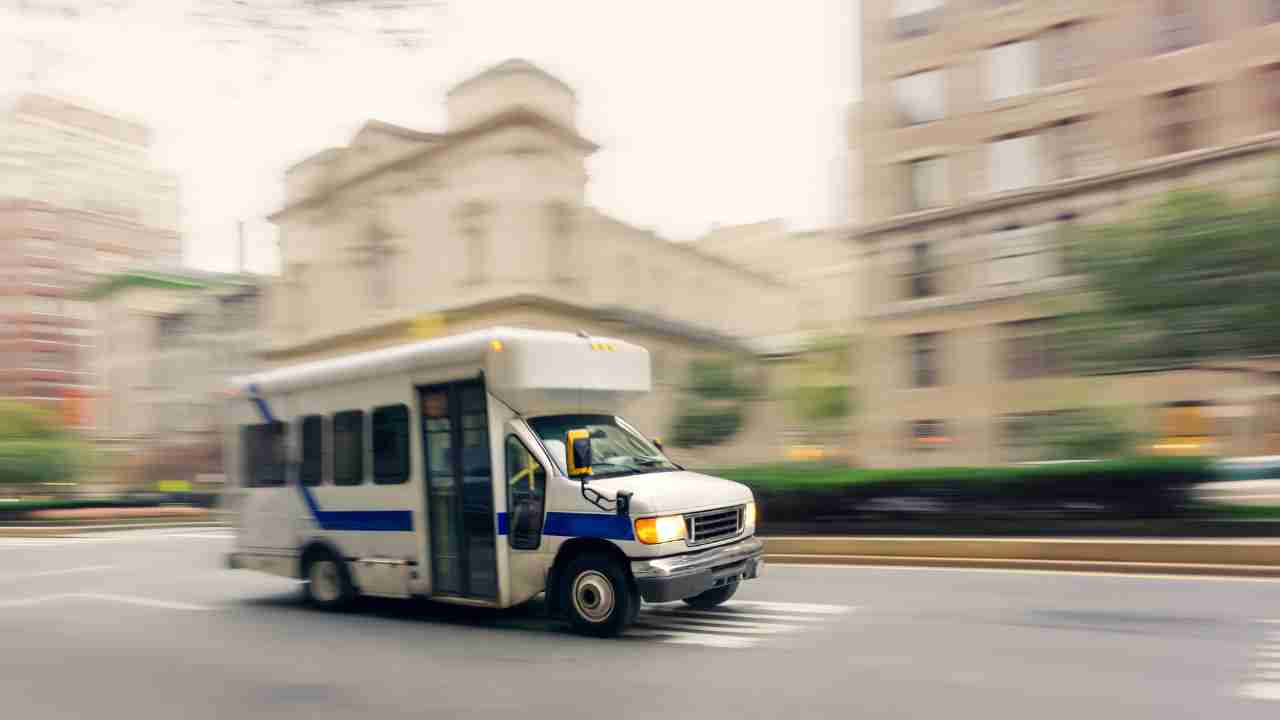
Technology has become an essential part of modern transportation operations. Tablets and smartphones help drivers manage schedules, communicate with dispatch, and navigate routes efficiently. For small transportation programs operating a few vans, these tools can significantly improve service reliability and operational efficiency.
However, these devices can also introduce a major safety risk if drivers interact with them while driving. To address this concern, many transit agencies across the United States have adopted strict policies governing the use of electronic devices in vehicles.
By combining clear policies, driver training, and the right hardware, small programs can safely integrate technology while protecting drivers and passengers.
Establish a “No Device Interaction While Driving” Policy
A core safety standard across the transit industry is no interaction with electronic devices while the vehicle is in motion.
For example, the paratransit program operated by MATBUS in Fargo–Moorhead prohibits drivers from using phones or electronic communication devices while operating vehicles. Their policies restrict the use of cellular phones, Bluetooth devices, and other communication tools while driving.
This rule typically applies to:
-
Texting
-
Reading or typing messages
-
Entering navigation destinations
-
Browsing screens
-
Adjusting dispatch software
Drivers should only interact with devices when the vehicle is safely parked.
Many transit organizations require drivers to pull over to a safe location and place the vehicle in park before interacting with a device. This simple rule dramatically reduces distracted driving risks.
Use Secure Commercial-Grade Device Mounts
One of the most important safety steps is ensuring tablets or phones are securely mounted in the vehicle.
Drivers should never hold devices in their hands while driving. Instead, they should use a professional mount that keeps the device stable and positioned within their line of sight.
Two mounts commonly used in commercial fleets and transit vehicles include:
RAM Mounts X-Grip Series
RAM Mounts are widely used in emergency vehicles, delivery fleets, and transit vehicles because they are extremely durable and adjustable.
Benefits include:
-
Strong suction or bolt mounting options
-
Adjustable arms for positioning
-
Compatibility with many tablet sizes
-
Shock-resistant design
These mounts are commonly used for tablets between 8–10 inches, which are ideal for dispatch systems.
Arkon Heavy Duty Tablet Mount
Arkon mounts are another popular option for fleet vehicles.
Key features include:
-
Long adjustable arms for flexible placement
-
Windshield or dashboard mounting options
-
Heavy-duty grips designed for vibration
-
Compatibility with most tablets
These mounts are frequently used in rideshare and commercial vehicle fleets because they provide strong stability even on rough roads.
Choose Durable Tablets Designed for Fleet Use
Tablets used in vehicles should be reliable, easy to read in daylight, and capable of running dispatch and navigation applications without lag.
Two commonly used options in transportation fleets include the following.
Apple iPad (9th or 10th Generation)
The standard iPad is one of the most widely used tablets in fleet environments.
Advantages include:
-
Reliable performance
-
Bright, high-quality display
-
Long battery life
-
Strong accessory ecosystem
-
Wide compatibility with dispatch and routing apps
Many organizations prefer 10-inch tablets because the screen size allows drivers to see route details clearly without being overly distracting.
Samsung Galaxy Tab A8 or Galaxy Tab Active
Samsung tablets are commonly used in Android-based fleet systems.
Benefits include:
-
Lower cost compared to some alternatives
-
Compatibility with Android dispatch software
-
Expandable storage
-
Rugged versions available (Galaxy Tab Active)
The Galaxy Tab Active series is especially useful for organizations that want rugged hardware designed for field work.
Prepare Devices Before the Trip Begins
Drivers should complete device setup before leaving the depot or starting the route.
A typical pre-trip device checklist might include:
-
Logging into dispatch software
-
Reviewing the day’s passenger assignments
-
Opening navigation directions
-
Adjusting screen brightness and audio volume
-
Securing the tablet in its mount
Preparing devices before driving reduces the need to adjust settings while on the road.
Follow a Safe Pull-Over Procedure
When drivers need to interact with a device during a shift, they should follow a safe pull-over procedure.
A typical process includes:
-
Signal and move to a safe location.
-
Pull completely out of traffic if possible.
-
Place the vehicle in park.
-
Apply the parking brake.
-
Interact with the device only after the vehicle is secure.
This ensures that device interaction never occurs while the vehicle is moving.
Provide Driver Safety Training
The Federal Transit Administration (FTA) requires transit agencies to ensure drivers receive proper training for their responsibilities.
Training should include topics such as:
-
Distracted driving awareness
-
Safe use of tablets and dispatch technology
-
Navigation safety
-
Passenger assistance procedures
-
Emergency communication protocols
Annual refresher training helps reinforce safe driving habits.
Create a Written Device Usage Policy
Every transportation organization should include device rules in a formal driver handbook.
Typical policy guidelines include:
-
Devices must be securely mounted.
-
Drivers may not interact with devices while the vehicle is in motion.
-
Drivers must pull over safely before using a device.
-
Voice navigation is allowed while driving.
-
Violations may result in disciplinary action.
Written policies help organizations maintain consistent safety standards and may also support insurance compliance.
Build a Culture of Safety
Ultimately, technology policies are most effective when supported by a strong safety culture.
Drivers should understand that passenger safety always comes first, and they should never feel pressured to interact with technology while driving.
Supervisors and dispatch staff should encourage drivers to pull over safely before responding to messages or adjusting navigation.
Ready to unlock the potential of smarter transportation planning? Book your demo now and explore how our scheduling software can elevate your operations.
ABOUT THE AUTHOR
MIKE B.
Mike is a seasoned transportation consultant and technology advocate. Drawing from years of experience in the transportation industry, Mike bridges the gap between innovative software solutions and practical implementation strategies. His articles focus on the transformative power of software for organizations that deliver transportation options for the elderly, special needs and disabled communities. Outside his writing endeavors, Mike enjoys exploring the landscapes of Costa Rica and advocating for sustainable transportation initiatives.
Recent Comments